Sign up, add your brand, review prompts, and read your first dashboard — end to end.
Set up your first Topify.ai project end-to-end. By the end you’ll have a tracked brand, a curated set of prompts, and a dashboard showing how often AI assistants mention your brand when buyers ask about your category.
Go to app.topify.ai and create an account using your work email. Verify your email if prompted, then sign in.
2
Create a workspace
A workspace is the top-level container for your team’s projects — pick a name that matches your organization. If you track multiple brands or run an agency with multiple clients, each one will live as its own project inside this workspace.
3
Choose a plan
Pick a subscription plan, or start a free trial of Basic or Pro to evaluate the product first. The plan decides how many prompts you can track, how many AI providers we query, and how many articles you can generate per month.
You can change plans later from Settings > Billing. See the pricing page for the full feature matrix.
4
Enter brand info (Info step)
The onboarding wizard opens at the Info step. This is where you tell us what brand to track.Required:
Brand name — the exact name AI assistants would use when referring to you. This is what we look for in every AI response.
Website URL — your primary domain. We crawl this to understand what you sell, so we can suggest the right questions to track.
Optional:
Language — defaults to English. Change this if your buyers ask AI in another language.
Location — defaults to United States. Change this if you sell into a specific region; AI answers can vary by location.
If your brand has nicknames (e.g. “LoL” for League of Legends), don’t worry about them yet — you can add brand aliases in project settings after setup so they count as mentions too.
Click Next to advance to the Prompts step.
5
Review your prompts (Prompts step)
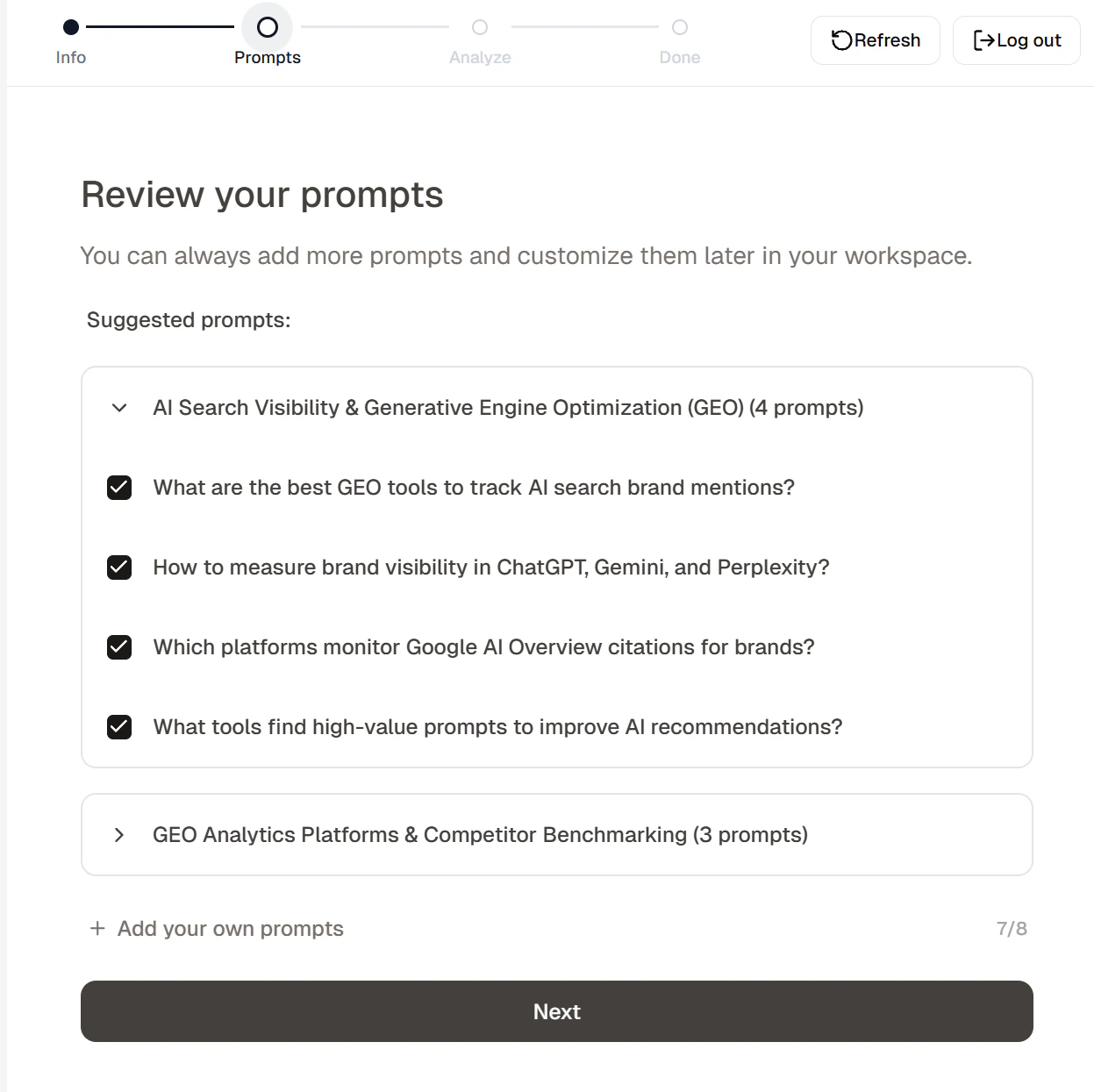
A prompt is one of the actual questions a buyer in your category might ask an AI assistant. The set of prompts you track is the set of conversations Topify monitors for you, every day. Tracking the right prompts is the most important decision in setup — track the questions your buyers actually ask, and your dashboard will reflect real purchase intent.Topify analyzes your site and drafts a starter set of prompts grouped by topic (e.g. “Best CRM for small teams”, “How to choose a CRM”). Toggle on the prompts you want to track, expand topic groups to see more, or click Add your own prompts to type one in.
The Prompts step of the onboarding wizard.
You can add, edit, or remove prompts any time later from Tracking > Prompts. See Tutorial: Manage prompts.
If the list comes back with very few prompts, the most common cause is that your website blocks bots (which means AI assistants can’t read it either — fixing this often improves your real-world AI visibility too). See Troubleshooting.
Click Next to start analysis.
6
Wait for analysis (Analyze step)
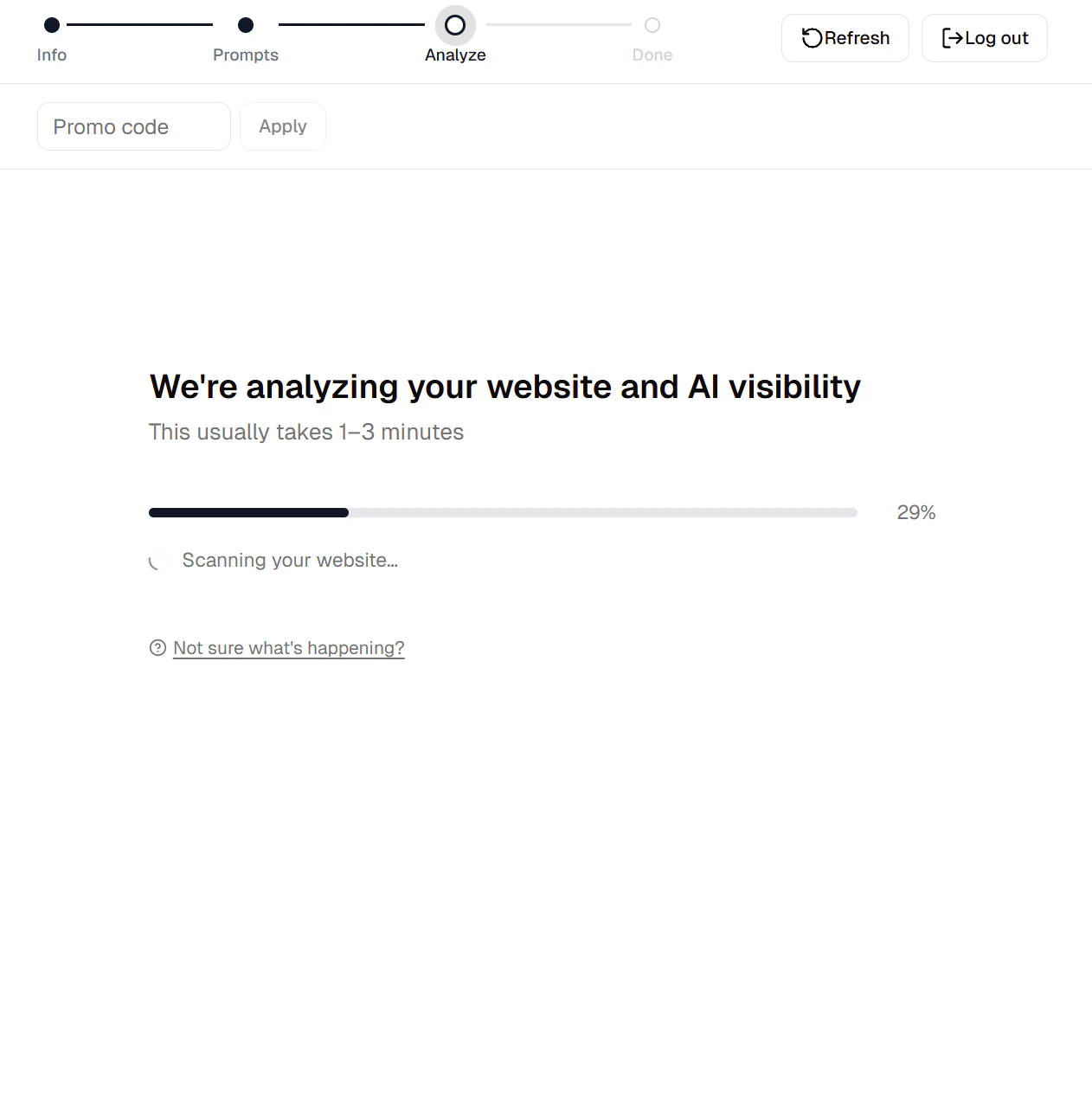
The wizard advances to the Analyze step and shows a progress bar. This usually takes 1–3 minutes.
The Analyze step shows progress while data is collected.
Behind the scenes Topify is doing three things in parallel — and each one feeds something useful onto your dashboard:
Site fetch and topic understanding — we crawl your site to understand your industry, products, and audience. This is what makes the prompt suggestions relevant in the first place.
AI response collection — we send your prompts to ChatGPT, Perplexity, and Google AI Overview, then store every response. This is the raw material for every metric you’ll see.
Response analysis — we scan those responses to count mentions of your brand, detect competitors that show up alongside you, and note which websites the AI cited. This is what turns raw text into the dashboard’s visibility, sentiment, position, and source numbers.
By the time the bar fills, your dashboard already has a baseline competitor list, sentiment scores, and a citation graph — no extra setup needed.
Analysis runs in the background. You can leave the page; the Analyze step refreshes from the server when you return, and you’ll get an in-app notification when it completes.
7
Read your overview dashboard (Done)
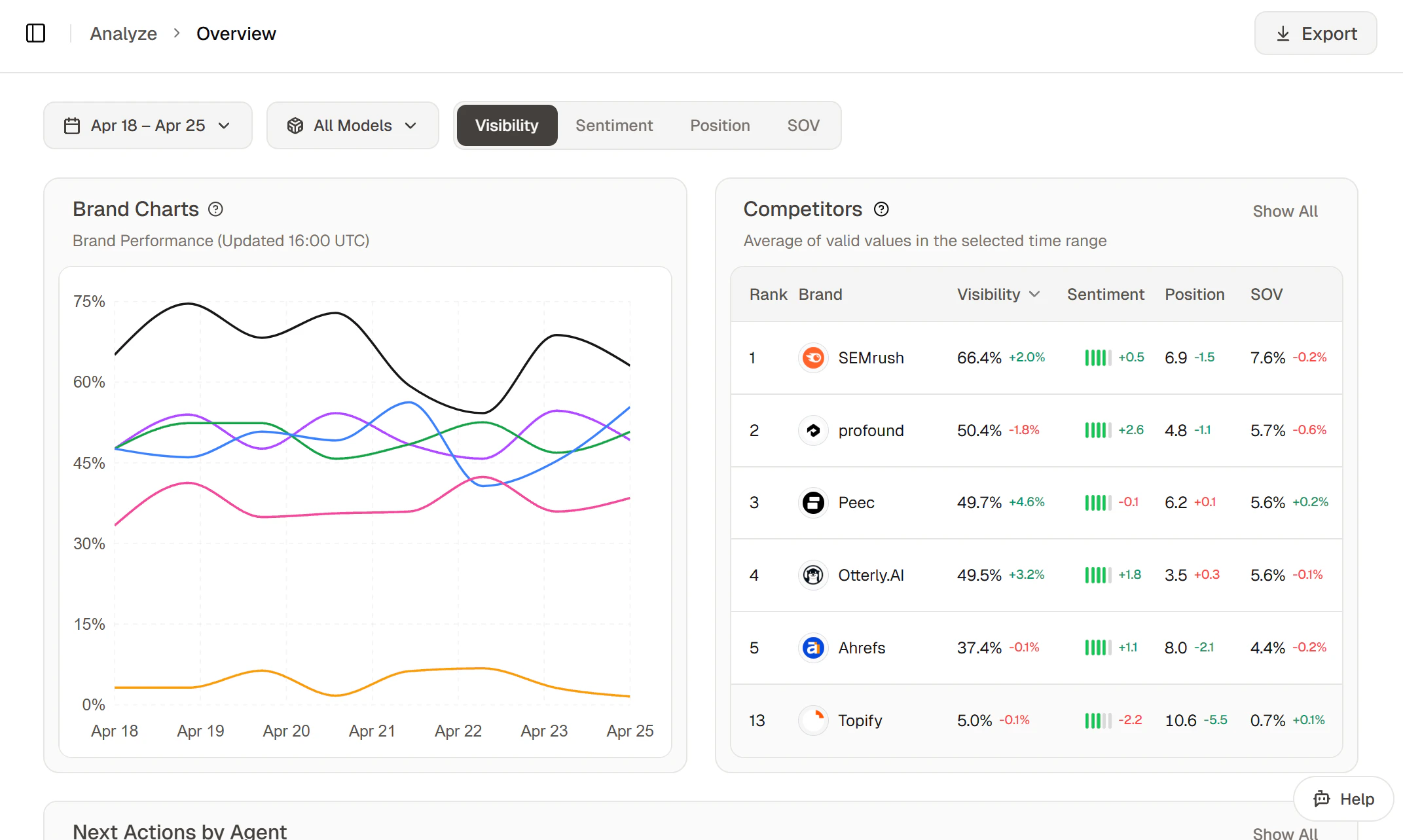
Once analysis finishes, the wizard reaches the Done step and you land on the overview dashboard with your first batch of metrics.
A populated overview dashboard.
Three things to look at first, and what each one is telling you:
Visibility chart — the share of AI answers that named your brand. This is your headline number. If it’s lower than you expected, that’s the gap to close.
Competitor ranking — where your brand sits relative to the competitors that came up in the same answers. Pay attention to the ones above you — those are the brands AI is recommending instead of you.
Topic performance — which clusters of prompts you do best (and worst) on. Your weakest topic is usually your biggest opportunity, because a single piece of strong content can lift a whole topic at once.
Day-one numbers swing a lot — only a small batch of responses has been collected, and LLM outputs themselves vary run-to-run. Numbers tend to settle after the first few days as more responses average out the randomness.
Now that you have a baseline, the natural next moves are: tighten your prompt list to match what your buyers really ask, then start producing content the AI can quote.
Tutorial: Manage prompts
Add, organize, and tune the prompts Topify tracks for your brand.
Tutorial: Generate articles
Use the content pipeline to create AI-optimized articles that earn mentions.
Connect integrations
Wire up Search Console and publishing platforms.
Use the AI agent
Let the agent recommend and execute optimization actions for you.
Usually it’s a filter issue, not missing data. Widen the date range to 30 days, clear all provider and topic filters, and confirm the project status shows complete (not still processing). If it’s still empty, check Troubleshooting.
Yes. Each brand lives as its own project inside your workspace, with its own prompts, competitors, and metrics. Add a new project from the workspace dashboard.
My visibility number is low — how do I improve it?
Three things tend to move the number, in order of impact: (1) make sure your prompts actually match the questions buyers in your category ask — see Tutorial: Manage prompts; (2) publish content the AI can quote, using content generation; (3) optimize existing pages with the agent’s geo_optimize skill — see Using the AI agent.
Usually 1–5 minutes, occasionally longer for very large sites. The wizard shows live progress and you can leave the page — analysis continues in the background and you’ll get an in-app notification when it finishes.
We can only analyze publicly-accessible pages. If your homepage and product/service pages are behind auth, we won’t be able to read enough to generate good prompt suggestions. The fix is usually to expose at least one public landing page per major offering, then add custom prompts manually from Tracking > Prompts > + Add Prompts.
Will my brand show up in AI answers right after bootstrap?
Most established brands already appear in some AI responses, and Topify shows you which prompts you’re winning on from day one. Newer or more niche brands may need to publish or improve content before AI assistants start citing them — start with content generation.
Topify’s own tracking updates daily, so you’ll see whether your visibility number is moving within a week. The AI providers themselves re-crawl on their own schedules — changes to your site usually show up in their answers within 2–4 weeks.
Yes — both are editable from project settings. You can also add brand aliases (alternative names or spellings) so that mentions like “LoL” still count for “League of Legends.”
You can belong to multiple workspaces at the same time, but agent and action features are only available on projects in workspaces where you’re an admin. Viewers can read dashboards on the projects they’re granted access to, but can’t run the AI agent or trigger actions (article generation, page rewrites, forum engagements, etc.). If you need agent/action access on a workspace where you’re a viewer, ask that workspace’s admin to upgrade your role.